Google Business Profile Now Works Inside Gemini — and India Is in the Rollout
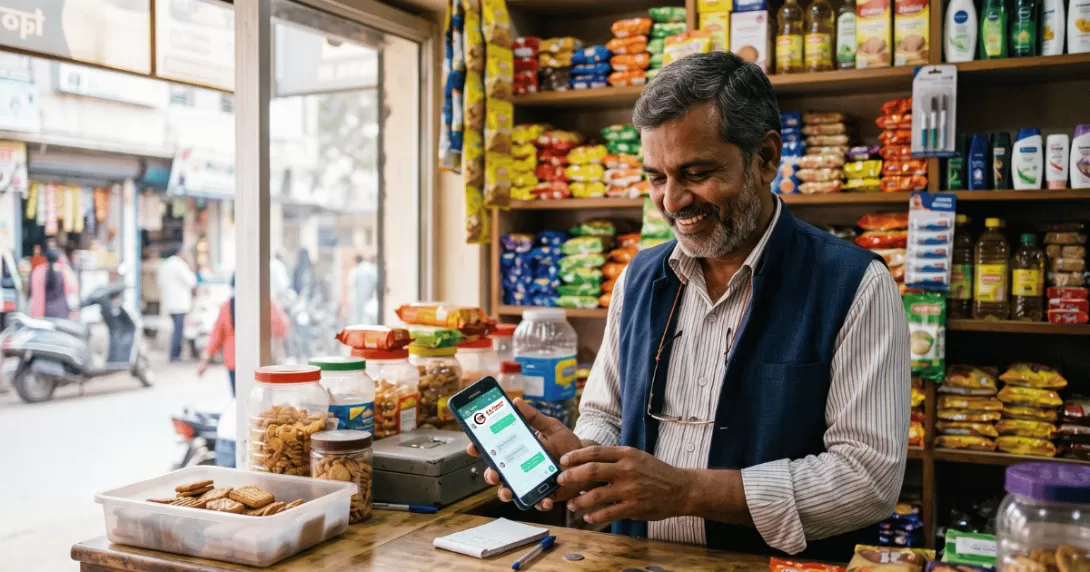
On 10 June 2026, at its Google for Brazil event, Google quietly shipped something that matters more to a small shop in Ranchi than most of the AI headlines you have been reading. You can now connect your Google Business Profile directly to the Gemini app and manage it by chatting — no more digging through a dashboard. The rollout is happening globally this month, excluding the EEA and UK (Search Engine Journal, June 2026), which means India is in the first wave.
Here is the plain-language version: the same profile that decides whether you show up in "near me" searches and on Google Maps can now be run from a chat window. For a business owner who is already juggling customers, staff, and the occasional printer that only works when threatened, that is real time back in your day. Let me walk you through what changed, why it matters for a Jharkhand business, the one big catch, and a setup checklist you can finish this week.
What actually changed
Once you connect a verified Business Profile to Gemini, you can ask it — in normal Hindi or English — to handle the jobs that usually break over time. According to Google's own help documentation (via Search Engine Roundtable, June 2026), Gemini can:
- Draft replies to customer reviews in your brand's voice, referencing what the customer actually wrote.
- Create, schedule, and publish Google Posts — updates, offers, and events.
- Update your business details — hours (including holiday hours), phone number, website, and the action links that drive bookings or orders.
- Summarise customer feedback from your reviews.
- Analyse your performance — impressions, website clicks, direction requests, calls, and the exact search keywords customers used to find you.
There is a second piece called Business notebooks — a space that remembers your profile, your website, and your past chats, so you do not have to re-explain your business every single time. It also flags action items the moment you open it, like an unanswered customer question or holiday hours you forgot to set (9to5Google, June 2026). The whole thing connects with a single tap, and Google says it is rolling out gradually, starting on the Gemini web app.
Why this matters for a Ranchi or Jharkhand business
For most local businesses, the Google Business Profile now does more to bring in calls, directions, and first impressions than the website itself. When someone in Harmu searches "digital marketing agency near me" or "best CA in Ranchi," the businesses that show up in the Local Pack are usually not the ones with the fanciest strategy — they are the ones doing boring maintenance consistently: fresh posts, answered reviews, correct hours.
That is exactly the work most Tier-2 and Tier-3 owners skip, because they do not have a marketing person and the dashboard feels like a chore. Moving that work into a chat lowers the barrier. And the timing helps you: while regular Google search results are increasingly dominated by giants like Reddit, LinkedIn, and Wikipedia, the Local Pack still gives a small, actively managed business a real shot at outranking bigger competitors (Dyad Marketing, 2026). A well-run profile is one of the few places a Ranchi MSME can still win on effort, not budget.
The one big catch — read this before you get excited
The feature is currently limited to owners or managers of a single verified Google Business Profile. If you manage several profiles — an agency, a franchise, or multiple outlets — it will not work for you yet (SEO Sherpa, June 2026). Google has historically built for the simplest case first and extended to multi-location setups later, so this will likely widen over time. For a single-location Jharkhand business, though, you are the perfect fit.
Second catch, and it is important: Gemini drafts, you approve. Every review reply it writes still goes out publicly under your business's name. A thoughtful reply builds trust; a generic, robotic one quietly tells future customers you have outsourced caring to a machine. So read every draft before it publishes. AI gives you speed — it does not give you judgement.
Your 7-step setup checklist (finish it this week)
- Claim and verify your profile first. None of this works without a verified Google Business Profile. If you have never claimed yours, that is step zero.
- Check Gemini for the connection. The rollout is gradual, so open the Gemini web app and look for the Business Profile connection over the coming weeks. One tap links it.
- Fix the fundamentals before you automate. Gemini works off whatever data already exists — so make sure your name, address, phone, hours, and services are complete and correct. AI cannot fix a half-empty profile.
- Ask it for a health check. Try: "What is missing or weak on my profile?" Let it find the gaps, then fix them.
- Clear your review backlog. Ask it to draft replies to unanswered reviews — then edit each one so it sounds like you, not a template.
- Post something useful weekly. An offer, a festival hour change, a new service. Consistent posts signal an active business.
- Read your keywords monthly. Ask "How did my business do this month?" and note the actual search terms customers used. Those keywords tell you what to put on your website next.
The bigger picture: your profile is now AI's source of truth
Step back and the pattern is clear. Google is wiring your Business Profile deeper into every AI surface — Search, Maps, and now Gemini itself. Whatever is on your profile is increasingly what AI tools quote about you. That is a gift and a warning: an accurate, active profile gets recommended; a stale one gets skipped or, worse, misrepresented. Getting found is no longer a "set it once" job — it is weekly upkeep. The good news is the upkeep just got a lot easier.
If you would rather have this run properly from day one — profile cleaned up, review workflow set, weekly posts scheduled, and your website tuned to match — that is the kind of local SEO and digital marketing work we do for Indian MSMEs every day. And if you do not have a website yet for that profile to point to, our free one-page website program is a clean place to start.
FAQ
Is the Google Business Profile Gemini feature available in India?
Yes. Google said the rollout is global this month, excluding only the EEA and UK, so India is included. It is rolling out gradually, so it may not appear for every eligible account immediately — check the Gemini web app over the coming weeks.
Does it cost anything?
Google has not announced a separate charge for the Business Profile integration or Business notebooks; access comes through the Gemini app. As always, confirm current details in Google's help documentation before assuming.
Can my agency use it to manage all my clients' profiles?
Not yet. At launch it only works for owners or managers of a single verified profile, which rules out most agencies and multi-location brands for now.
Will Gemini reply to my reviews automatically?
No. Gemini drafts the reply; you review and publish it yourself. Since every reply is public and represents your business, always read and edit before posting.
Do I still need local SEO if AI manages my profile?
Yes. Gemini handles speed and admin, not strategy. Which keywords to target, how your website supports the profile, and how you build reviews and reputation over time still need a human plan. AI is the assistant, not the strategist.
Want to get found on Google Maps and "near me" searches without doing it all yourself? We set this up end to end for Ranchi and pan-India businesses — profile, reviews, posts, and a website that backs it up. Book a free 15-minute consultation or WhatsApp us directly at +91 91026 01040. Straight advice, no jargon.